
Table of Contents
ToggleYou need precise, three-dimensional information to place implants safely and predictably.
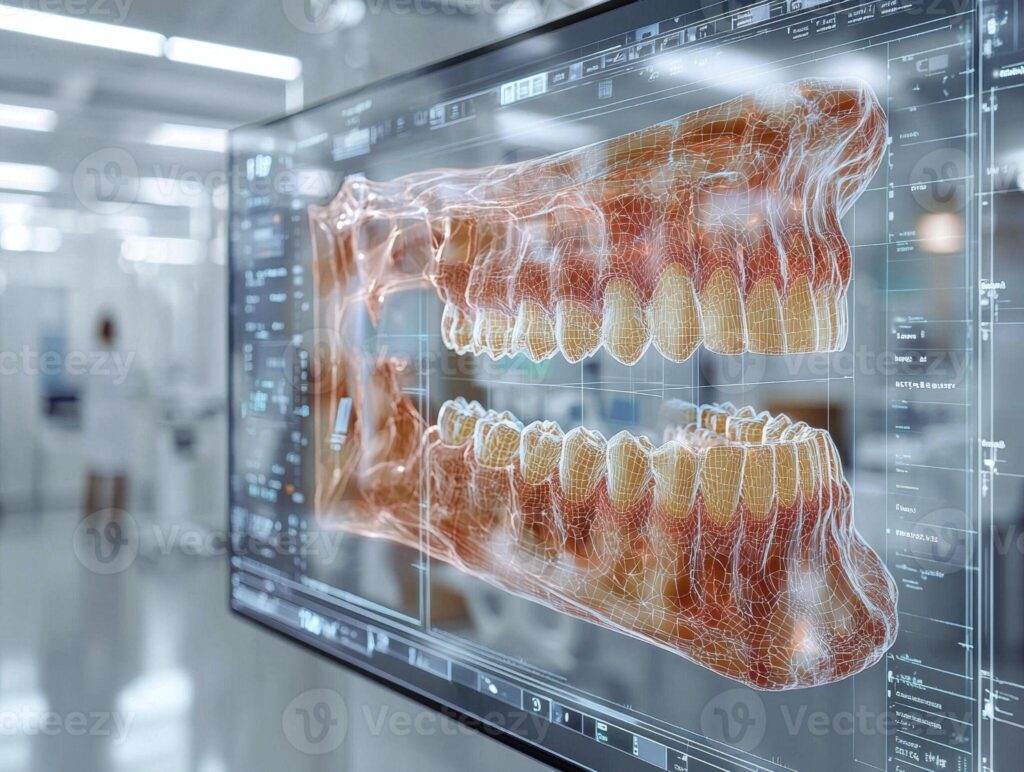
3D imaging and digital planning give you a clear map of bone volume, nerve locations, and sinus anatomy so you can choose implant size, angle, and position with confidence before you ever touch a drill.
Digital workflows let you simulate outcomes, design surgical guides, and coordinate restorative goals with surgical plans.
This reduces surprises and surgical time—and having all of this done at a well-equipped dentist office in Hutto, TX means you get the precision and peace of mind that modern implant planning can offer.
Foundations of Precision in Implantology
You need clear, measurable information about bone volume, implant trajectory, and nearby anatomy to plan implants that function and last.
Digital tools turn scans into exact models, let you test positions, and reveal hazards before you operate.
Accurate Assessment of Jawbone Anatomy
3D imaging (CBCT) gives you voxel-based bone maps instead of flat x-rays.
You can measure cortical thickness, trabecular density, and available height and width at the proposed implant site.
Place digital calipers on axial, coronal, and sagittal slices to record millimeter-precise dimensions.
This helps you calculate bone volume for grafting decisions.
Use cross-sectional views to spot sinus proximity, mandibular canal location, and bone fenestrations that plain films miss.
You get to decide if immediate implant placement, staged grafting, or short/angulated implants make sense, based on real numbers.
Exported DICOM data integrates with planning software and intraoral scans to create a fused 3D model of teeth, bone, and soft tissue.
That model lets you plan prosthetically—picking implant diameter, length, and position to match the final restoration and expected occlusal loads.
Aligning Implants With Surrounding Structures
Digital planning shows how implants relate to adjacent roots, prosthetic contours, and opposing teeth.
You can set implant platforms to respect biologic width and maintain 1.5–2 mm lateral distance from neighboring teeth where needed.
Plan angulation to avoid hitting adjacent roots or the mandibular canal.
You also preserve emergence profiles for crowns and bridges.
Software lets you simulate implant axis and adjust depth, so you can control crown screw access and prosthetic height without sacrificing primary stability.
Guided-surgery outputs—like surgical guides or navigation coordinates—bring digital plans into the real world, preserving the planned mesiodistal, buccolingual, and apicocoronal positions.
That kind of alignment cuts down on prosthetic compromises.
It also makes immediate or delayed restorations more predictable.
Reducing Risks of Surgical Complications
3D planning spots anatomic risks—like odd nerve paths, thin buccal plate, or sinus septa—so you can adapt your approach before making an incision.
You might plan shorter implants, angled placement, or lateral window sinus lifts, based on what you see instead of guessing during surgery.
Surgical guides keep the drill on track for trajectory and depth, lowering the chance of cortical perforation and nerve injury.
Dynamic navigation gives you real-time feedback if you need to make adjustments mid-surgery.
Preoperative visualization helps you with informed consent and team prep.
You can show patients detailed images, document risk-mitigation steps, and hopefully avoid complications that drag out surgery or require a redo.
Enhancing Patient Outcomes With Digital Technology
Digital tools let you plan precisely, cut surgical time, and improve prosthetic fit.
They give you hard data for decisions and create repeatable workflows that lower complication risks.
Custom Treatment Planning for Complex Cases
You can combine CBCT scans with intraoral scans to build a real 3D model of bone, soft tissue, and occlusion.
This lets you measure bone volume, angulation, and proximity to vital structures like the sinus or nerve, so you can choose implant size and position with millimeter accuracy.
Use software to try out multiple implant positions and restorative options.
Virtual tooth setup and prosthetic-driven planning make sure implants support the final restoration, not the other way around.
For grafting and staged approaches, digital planning predicts graft volume and fixation points.
You can export guides and STL files for surgical models, which cuts down on guesswork and improves communication with labs and patients.
Facilitating Guided Surgery Procedures
Guided surgery turns your digital plan into a real surgical workflow with static or dynamic guides.
Static guides control drill depth, diameter, and angulation using sleeves, which helps you stick to the plan.
Dynamic navigation systems track drills in real time against the CBCT dataset.
You can adjust on the fly while keeping to the planned implant path, which is handy if anatomy or access changes during surgery.
Both methods shorten operative time and reduce patient morbidity by minimizing tissue manipulation.
They also improve implant primary stability rates by placing implants within planned cortical engagement zones.
Predictable Restoration and Esthetic Results
Digital design links implant position to the final crown and soft-tissue contour.
You can design provisional restorations that shape the peri-implant mucosa before final prostheses, which helps with emergence profile and esthetics.
CAD/CAM milling and 3D printing produce consistent abutments and prostheses with tight tolerances.
This means fewer chairside adjustments, fewer remakes, and better occlusal accuracy.
You can show patients visualizations and timelines, which helps set realistic esthetic expectations.
Objective metrics—like gap measurements, contact strength, and crown angulation—let you check outcomes against the plan.
Future Trends and Integration in Clinical Practice
Expect faster, smarter imaging tools and more connected digital workflows that cut chair time.
Training pathways are getting clearer, so your team can pick up these technologies safely and efficiently.
Emerging Advances in Imaging Software
Imaging software will use more AI to automate segmentation, landmarking, and bone-density analysis.
That’ll cut planning time and reduce differences between operators.
You’ll see more predictive algorithms that estimate implant stability and prosthetic emergence profiles from CBCT and intraoral scan data.
Improved multimodal registration will let you fuse CBCT, intraoral scans, and facial scans with higher fidelity.
That fusion supports implant-driven restorations and immediate temporization with fewer manual tweaks.
Expect cloud-based platforms to enable version control and audit trails for regulatory compliance.
Security and DICOM conformity stay essential when you share datasets between specialists, labs, and manufacturers.
Workflow Optimization Through Digital Collaboration
Digital collaboration pulls all case data together, so your surgical guide, lab prescription, and restorative plan come from the same dataset.
This cuts remake rates and lines up surgical and prosthetic outcomes.
Use shared platforms that let you, the lab tech, and the restorative dentist review cases together.
Real-time commenting and issue-tracking help you avoid miscommunications that delay cases.
Standardized file formats (STL, OBJ, DICOM) and API-driven integrations mean less manual data transfer.
Automated toolpaths for guide fabrication and in-office 3D printing can cut turnaround time from days to hours.
Checklist-driven digital protocols bake safety steps into the workflow.
That boosts reproducibility for guided surgery and supports quality metrics in your practice.
Training and Adoption in Modern Dental Clinics
Start with a staged training program. Begin with didactic modules.
Move on to simulations using virtual patients. After that, try supervised clinical cases.
You’ll build competence more predictably this way. Plus, you reduce the risk of procedural errors.
Use both vendor-specific and open-source training tools. These help you learn image manipulation, prosthetic-driven planning, and guide verification.
Get your hands dirty with software and printed guides before you tackle solo cases. Honestly, nothing beats that kind of practice for building confidence.
Pick a digital champion in your clinic. Let them handle updates, manage data flow, and talk to labs.
Having one person in charge speeds up adoption. It also keeps everyone on the same page with protocols.
Track your key performance indicators—case time, guide fit rate, prosthetic remakes. This data helps you justify investment and tweak your training.
Keep learning as software and hardware keep changing. It’s the only way to stay current in this field.